


Arizona Office of Employment First
Where Employment First is the Expectation.
Web page currently under construction. Stay tuned for more information.
About the Arizona Office of Employment First
Mission
The Arizona Office of Employment First advances competitive integrated employment for Arizonans with disabilities by strengthening partnerships, aligning systems, building workforce capacity, and developing the training, resources, and strategies needed to make employment the expectation for everyone.

The Opportunity Fund is dedicated to helping AZOEF create stronger pathways to competitive employment across Arizona. Donations support systems change, training, technical assistance, community engagement, accessible resources, and data and learning that strengthen employment opportunities for people with disabilities across Arizona. This October all donations to The Sonoran Center will go towards AZOEF to help spread the message that employment is for everyone.
Navigation Center
Navigation tool for Job Seekers, Providers, Families, Employers, and Agencies.
What is Employment First?
Everyone can work with the right supports.
Learn With Us
Enroll in training.
Who We Are
AZOEF Leadership & Team
Our Work







AZEF Primary Logo:

AZEF Secondary Logo:

AZEF Signature Line Logo:

Please feel free to download and share at events:
Customize your Zoom background today!
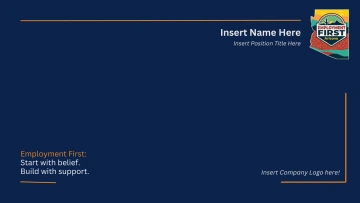
Follow these easy steps to customize your background in Canva:
1. Open Canva
Go to www.canva.com and log in or create a free account.
2. Upload This File
Click Create a Design → Import file and upload the PNG or PDF you downloaded.
3. Customize
Add your own text, colors, or logos. Move or resize how you want.
4. Download Your Finished Version
For Zoom: download as PNG.
For printing/sharing: download as PDF.
Connect with Us!
For questions or collaboration related to Employment First, please reach out to us at: employmentfirst@arizona.edu